Open Wireguard, and press the Activate button. Make sure you get a “Latest handshake” like shown below.
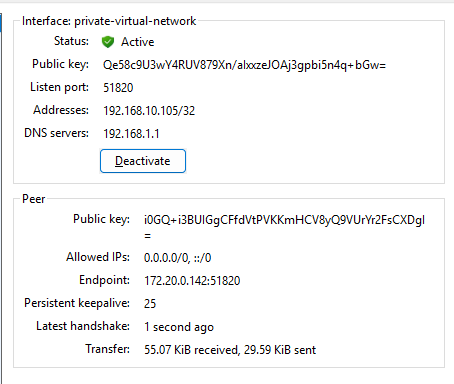
1. If this is not working follow these steps:
2. If you are on a laptop, make sure you are connected to IM-Nett
3. Is your router VM turned on?
2. Open the RDP app, also called the “Tilkobling til eksternt skrivebord” if your computer is in Norwegian
3. The IP-address of the server is 192.168.1.10 (on your private network), so enter it like below: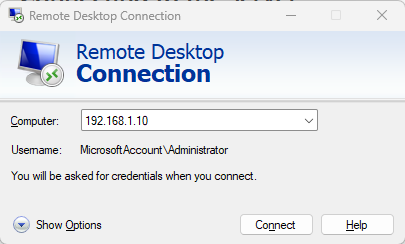
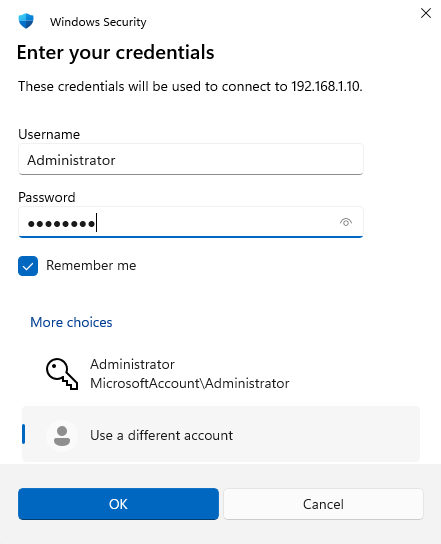
- When asked for password, press the more choices button and enter the credentials below. I highly recommend you select the Remember me option.
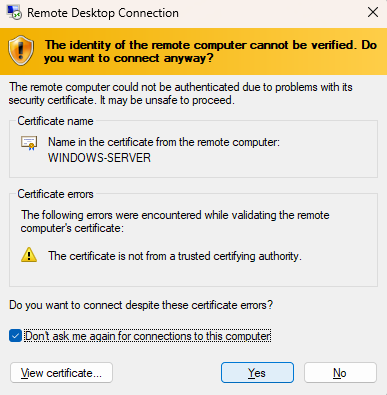
- If you get this pop up, select “Don’t ask me again” and press Yes